How to Get WhatsApp Green Tick Verification in 2026
The green tick next to a business name on WhatsApp is a trust signal that immediately tells customers: this is a real, verified business.
Verified accounts see higher open rates, better engagement, and more customer trust. Here is exactly how to get it.
What Is the WhatsApp Green Tick?
The Green Tick (Official Business Account badge) is a verified checkmark that appears next to your business display name in WhatsApp conversations.
What it looks like: Your business name appears in the chat header with a green checkmark icon, even if the customer has not saved your number.
Why it matters:
- Customers see your business name instead of just a phone number
- Trust increases — customers know it is not spam
- Message open rates improve by 20-30%
- Required for high-volume messaging
Eligibility Requirements
Meta evaluates three criteria:
1. Authenticity
- You must be a real, registered business
- Valid business registration documents required
- Business must comply with WhatsApp Commerce Policy
2. Prominence
- Your business must have a notable online presence
- Active website with matching business information
- Social media profiles (Facebook, Instagram) with real followers
- Press mentions or media coverage helps
3. Completeness
- Fully set up WhatsApp Business Profile
- Business description, address, email, and website filled in
- Profile photo uploaded
- Active message templates approved
Step-by-Step Application Process
Step 1: Get WhatsApp Business API Access
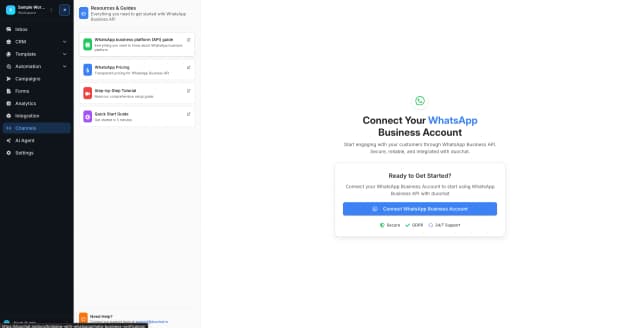
You need the API through a BSP. Sign up on duochat and connect your WhatsApp number via embedded signup.
Step 2: Complete Facebook Business Verification
Go to Meta Business Manager and verify your business:
- Submit business registration documents
- Verify your business phone number
- Verify your business domain
- Wait for Meta approval (usually 2-5 business days)
Step 3: Optimize Your WhatsApp Business Profile
Before applying, make sure your profile is complete:
- Display Name: Must match your registered business name
- Business Description: Clear, professional, keyword-rich
- Address: Physical business address
- Email: Business email (not personal Gmail)
- Website: Active website matching your business
- Profile Photo: Your logo in high resolution
Step 4: Build Messaging History
Meta wants to see that you are actively using the API:
- Send message templates and get them approved
- Maintain good quality ratings (no spam complaints)
- Have active customer conversations
Step 5: Apply for Green Tick
Through duochat, submit your Green Tick application:
- Provide your Facebook Business Manager ID
- Submit a brief description of why you need the badge
- Include supporting evidence of your online presence
Step 6: Wait for Review
Meta reviews applications within 2-4 weeks. You will receive notification of approval or rejection.
Common Rejection Reasons (and Fixes)
| Reason | Fix |
|---|---|
| Insufficient online presence | Build up your website SEO, social media followers, and get press coverage before reapplying |
| Business name mismatch | Ensure your WhatsApp display name exactly matches your business registration |
| Restricted category | Some categories (individual sellers, unregistered businesses) are not eligible |
| Low messaging quality | Fix spam complaints, improve template quality, wait 30 days, then reapply |
| Incomplete documentation | Double-check all submitted documents are current, legible, and matching |
Tips to Improve Your Chances
- Complete Facebook Business Verification first — this is a prerequisite
- Have an active website with your business name, contact details, and about page
- Maintain active social media — at least Facebook and Instagram with real engagement
- Use the API actively for 2-4 weeks before applying
- Keep quality rating high — green quality rating is ideal
- Apply through your BSP — duochat handles the application process and follow-ups
Green Tick vs No Green Tick — Does It Matter?
| Factor | Without Green Tick | With Green Tick |
|---|---|---|
| Display Name | Shows phone number | Shows verified business name |
| Trust Signal | None | Green checkmark badge |
| Open Rate | Good (70-80%) | Better (90%+) |
| Spam Perception | Some risk | Very low |
| Brand Recognition | Low | High |
For businesses sending high volumes of messages, the Green Tick is essential. For smaller businesses just starting out, focus on building your presence first and apply when ready.
How duochat Helps
- Guided application — we walk you through every step
- Document review — we check your documents before submission
- Follow-up — we track your application status with Meta
- Profile optimization — we help you set up your business profile correctly
- Quality monitoring — we alert you if your quality rating drops
Get Started
- Sign up on duochat
- Connect your WhatsApp number
- Complete Facebook Business Verification
- Let us guide you through the Green Tick application
Most businesses that follow this process get verified within 2-4 weeks.