WhatsApp CRM Integration — Complete Guide
Your sales team uses a CRM. Your customers use WhatsApp. If these two systems do not talk to each other, you are losing context, leads, and deals.
WhatsApp CRM integration connects your customer conversations on WhatsApp with your CRM data — so every interaction is tracked, every lead is captured, and every follow-up is timely.
Why Integrate WhatsApp with Your CRM?
Without Integration
- Sales reps switch between WhatsApp and CRM constantly
- Customer conversation history is lost
- Leads from WhatsApp are manually entered into CRM
- No visibility into which deals involve WhatsApp conversations
- Follow-ups fall through the cracks
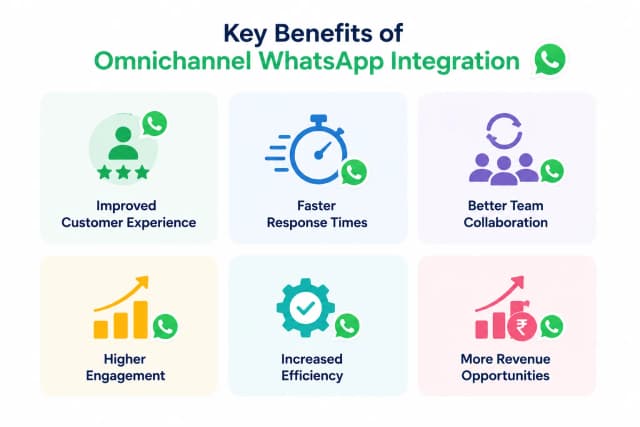
With Integration
- All WhatsApp conversations sync to CRM contact records
- Leads are auto-created in CRM when a new customer messages
- Sales reps send WhatsApp messages from inside the CRM
- Automated workflows trigger WhatsApp messages based on CRM events
- Full conversation history available for every deal
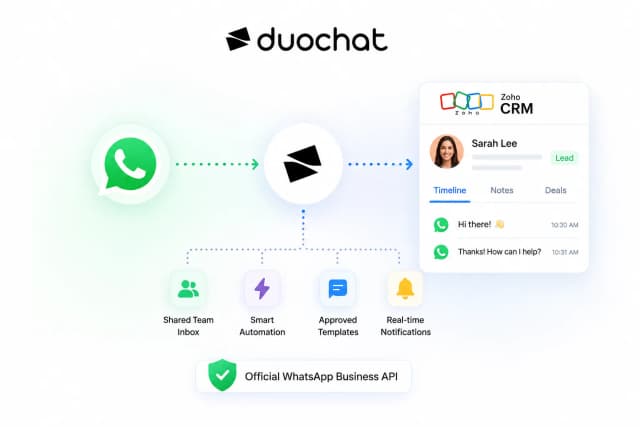
How WhatsApp CRM Integration Works
Customer messages on WhatsApp
        |
   duochat receives the message
        |
   Contact auto-created/updated in CRM
        |
   Conversation synced to contact record
        |
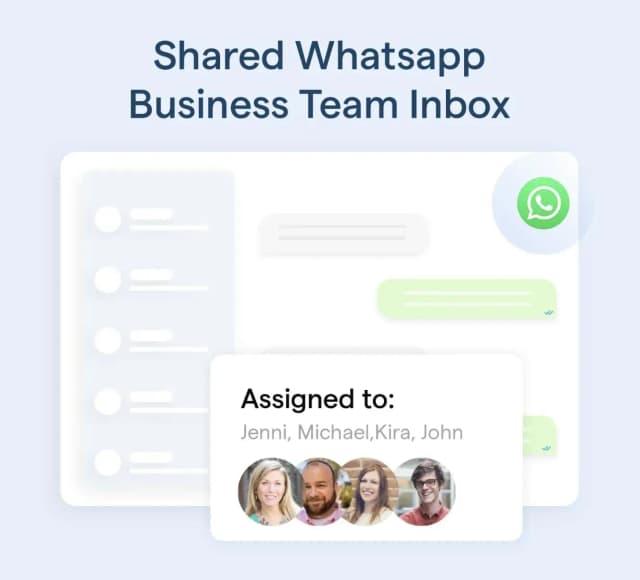
   Sales rep responds from CRM or duochat
        |
   Response delivered via WhatsApp
The integration is bi-directional — changes in either system reflect in the other.
Supported CRM Integrations
| CRM | Integration Type | Setup Time | Key Features |
|---|---|---|---|
| HubSpot | Native | 10 minutes | Contact sync, deal tracking, workflow triggers |
| Salesforce | Native | 15 minutes | Lead/opportunity sync, custom object mapping |
| Zoho CRM | Native | 10 minutes | Contact sync, Zoho Flow automation |
| Freshsales | Webhook | 15 minutes | Lead capture, conversation logging |
| Pipedrive | Zapier | 10 minutes | Deal creation, activity logging |
| Custom CRM | REST API/Webhook | 30 minutes | Full API access for custom integrations |
Setting Up WhatsApp + HubSpot Integration
Step 1: Connect duochat to HubSpot
- Go to duochat Settings > Integrations
- Click "Connect HubSpot"
- Authorize duochat in your HubSpot account
- Select which properties to sync
Step 2: Map Contact Fields
Map duochat contact fields to HubSpot properties:
- Phone → Phone Number
- Name → First Name + Last Name
- Email → Email
- Tags → HubSpot Tags
- Custom fields → Custom Properties
Step 3: Set Up Automation Rules
- New WhatsApp contact → Create HubSpot contact + add to list
- Lead qualified by chatbot → Create HubSpot deal
- HubSpot deal stage change → Send WhatsApp template message
- HubSpot workflow trigger → Send WhatsApp notification
Step 4: Enable Conversation Sync
Turn on bi-directional conversation sync so your sales team can see the full WhatsApp chat history on the HubSpot contact timeline.
Use Cases — WhatsApp CRM in Action
1. Automated Lead Capture
Customer messages "I'm interested in your product" on WhatsApp. duochat's chatbot qualifies them (budget, timeline, requirements) and auto-creates a lead in your CRM with all collected data.
2. Sales Follow-Up Automation
A deal sits in "Proposal Sent" stage for 3 days in HubSpot. An automated WhatsApp message goes out: "Hi {name}, just checking in on the proposal we sent. Any questions?"
3. Post-Purchase Engagement
Customer's order is marked "Delivered" in your CRM. Automated WhatsApp message: "Hi {name}, your order has been delivered! How was your experience? Reply 1-5."
4. Re-Engagement Campaigns
CRM identifies contacts who have not purchased in 90 days. Trigger a WhatsApp broadcast with a personalized offer based on their last purchase category.
Best Practices
- Map fields carefully — ensure CRM fields match duochat fields to avoid data mismatches
- Use tags for segmentation — tag WhatsApp contacts in CRM for targeted campaigns
- Set up duplicate detection — prevent the same contact from being created twice
- Log all conversations — ensure compliance and give sales reps full context
- Automate, but stay personal — use CRM data to personalize WhatsApp messages with names, purchase history, and preferences
- Monitor sync health — check integration logs regularly for failed syncs
ROI of WhatsApp CRM Integration
| Metric | Before Integration | After Integration |
|---|---|---|
| Lead response time | 1-4 hours | Under 5 minutes |
| Lead data capture rate | 40% (manual entry) | 95% (automated) |
| Sales rep productivity | 20 conversations/day | 50+ conversations/day |
| Customer context availability | Partial | Complete |
| Follow-up rate | 60% | 95% |
Get Started
- Sign up on duochat
- Connect your WhatsApp number
- Go to Settings > Integrations
- Select your CRM and authorize
- Map fields and set up automation rules
Your WhatsApp and CRM will be connected in under 15 minutes.